
 Have you been using Windows Live Messenger, and then one day when you open Windows Live Messenger there is no Windows Live ID in the email box even though you have ticked the “Remember me” box?
You’re not alone! There have been many other people with the same issue. The reason for this is all thanks to Yahoo’s Toolbar. What Yahoo’s Toolbar does after installation is it changes the Registry value in Windows Live Messenger. Uninstalling the toolbar will still not solve the problem. However there is a solution.
There is an application by Jonathan Kay that is available for download here that can do the trick. But this is only possible for the English version.
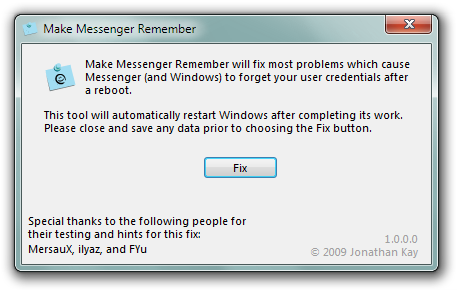
For those who do not wish to download the Application or who do not have the English version, here are a few easy steps to follow below.
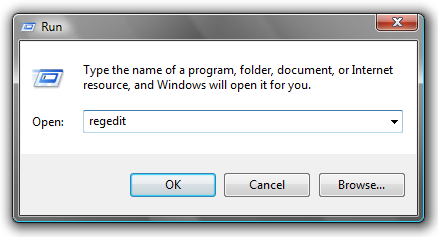
1. Click Start, and then click on Run
2. Type in regedit

3. Expand the following folders and go to:
HKEY_USERS \ S-1-5-21-796845957-926492609-725345543-1003 \ Software \ Microsoft \ Windows \ CurrentVersion \ Explorer
4. Click once on User Shell Folders
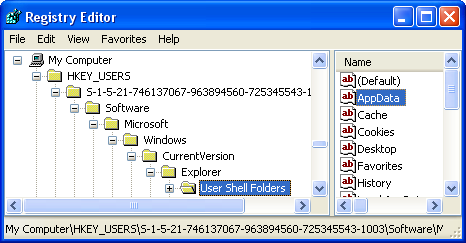
5. On the right hand side double click on the file called AppData
6. A window should appear with the Value data saying %AppData%, change this to say %USERPROFILE%\Application Data
For those who are using a Language other than English you have to change that expression to whatever it is in your language, for example in Spanish it is Datos de programa.
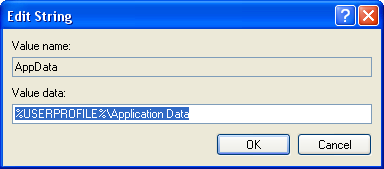
7. Now sign in to Windows Live Messenger and tick Remember me, then restart your computer.
Your Windows Live Messenger problem is now fixed!
 Are you sick and tired of your boring default Firefox skin? Need something a little eye-catching to look at? Then you can look no further. Firefox have made a nice little Add-on which allows you to change the look of the browser as easy as changing your shirt. With Personas, you can individualize your browser with hundreds of artist-created designs or create your own design.

 Ever since Google started to gain huge market share with their popular search engine, other companies have been feeling the sweat run down their forehead. Microsoft decided to take a stand and go head-to-head by launching their own search engine called Bing as you all should know by now.
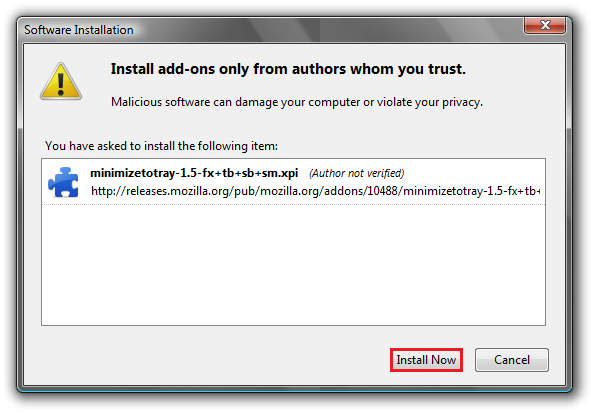
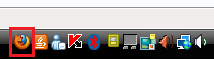 If you are a crazy multi-tasker who has like 10 minimized windows that can’t even fit in the Windows Task Bar, or if you don’t want anyone to see you have the Firefox browser open, then you need the MinimizeToTray Firefox Add-on.
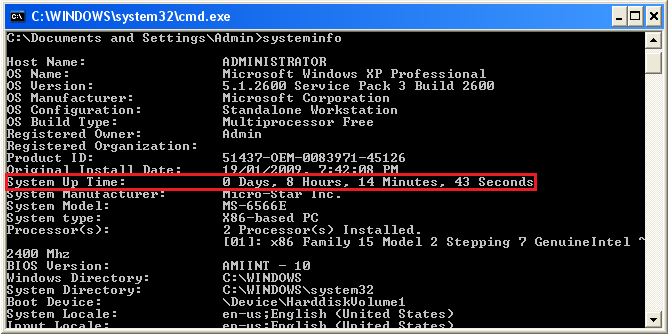
 Ever wondered how long your computer was on for? Or has your mum told you to get off the computer because she thinks you have been on for the whole day and want to prove her wrong? The really simple guide below will show you how to do just that!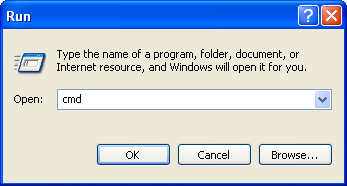
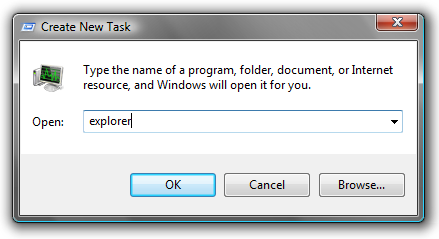
 Have you ever started up your computer, logged in, and then find yourself staring at a black screen with just your mouse cursor showing? For the people that have, this guide should help you out.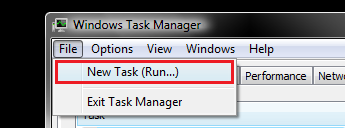

 Imagine you have a filing cabinet with all your documents and papers in it, but it is a total mess. You have papers thrown everywhere and folders that are almost about to explode full of junk. If you would try to find something that you are looking for, do you think you would have trouble finding it? Of course! Not to mention the amount of time it would take too.


